Meals
Suggestions shaped by your tastes, time, household size, pantry, and grocery budget.
AI HOUSEHOLD PLANNER -
Amelna connects your routines, preferences, meals, groceries, budget, and schedule to help you plan ahead—so each week builds on what you’ve already shared.
Start where you need support. You don’t have to plan everything at once.
Start free. No payment required.
What’s happening this week. What everyone will eat. What’s already home. What you can spend. Amelna brings that context together to help you plan.
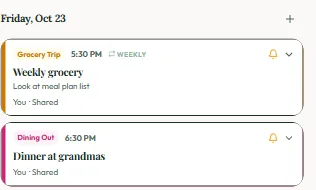
No cooking. Grocery day.
Dinner at Grandma’s.


Amelna uses your saved routine and the schedule you share when creating your meal plan.
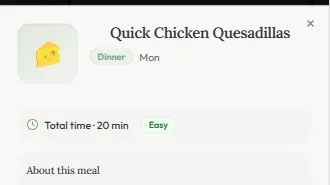
Suggestions shaped by your tastes, time, household size, pantry, and grocery budget.
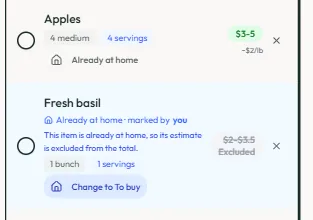
Your list from your meal plan, with estimated prices and clear choices for what to buy, what you picked up, and what’s already home.
Dinner elsewhere? Amelna accounts for it when planning your meals.
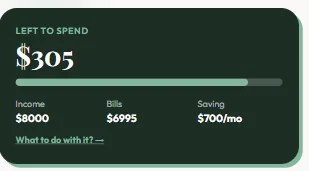
See what remains after the expenses and savings you’ve planned.
Your routine gives Amelna a starting point. The preferences and choices you confirm help shape future plans and recommendations.
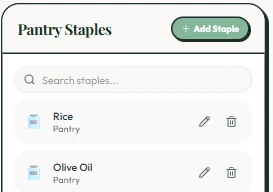
Choose to save rice as a pantry staple for future planning.
Amelna suggests prioritizing that staple in next week’s meals. You decide.
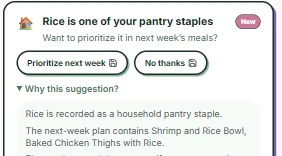
Your confirmed choice helps shape the next meal plan.
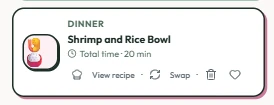
Your routine, preferences, pantry, grocery budget, and schedule give Amelna context. Your confirmed choices help refine what comes next.
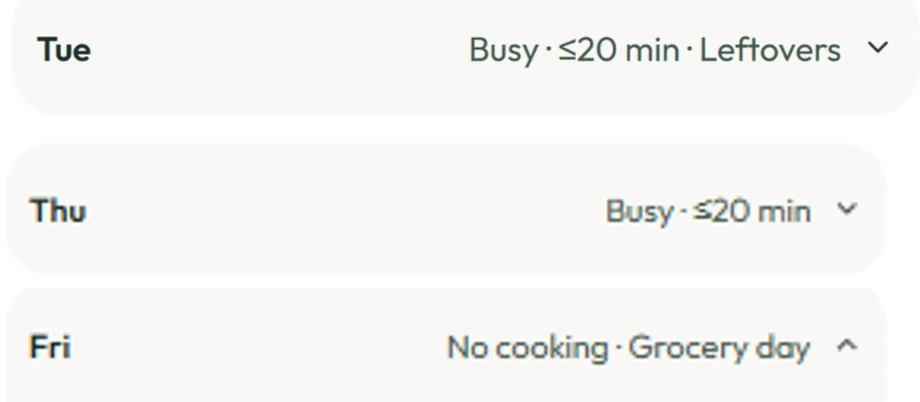
Saved busy days, leftover nights, and nights off cooking help shape future meal plans.
Amelna Noticed suggests things to review, prioritize, or confirm using your household information.
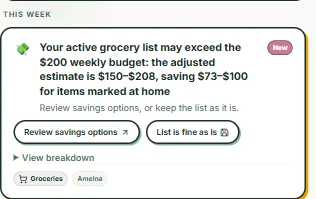
Auto-Pilot uses saved context and planning choices to prepare future meal plans and grocery lists for your review.
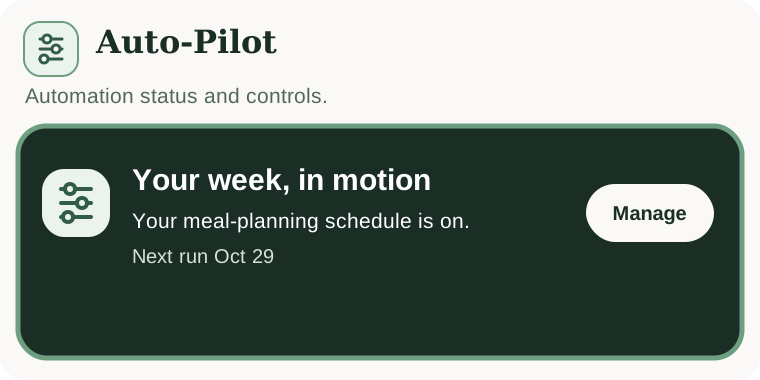
The more Amelna understands, the less planning you have to repeat.
Bills due, groceries to buy, plans on the calendar, and something you’re saving toward. Amelna brings that context together so you can see what needs attention and decide what fits.
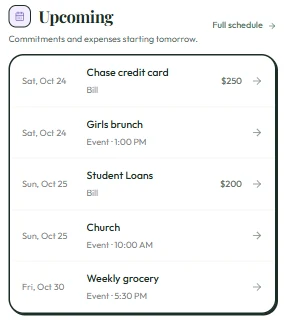
The week comes with commitments. See upcoming bills alongside the events and plans you’ve added.
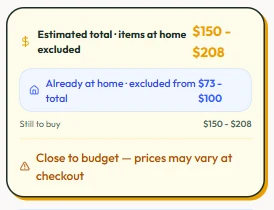
Groceries are part of that picture. Compare your list’s estimated cost with your weekly grocery budget, accounting for items marked at home.
And there are things you’re saving for. See your savings goal alongside what remains after your entered expenses and planned savings.
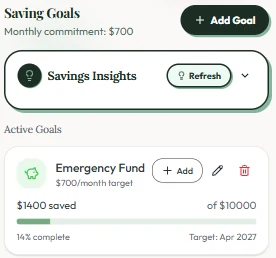
Illustrative views of information you enter and choices you confirm. Estimates are for planning context, not financial advice.
Love the fact that meals, groceries, and budget are connected.
Great App for Moms! Love the meal plan, budgeting, and scheduling features. A one-stop shop for moms to plan for busy weeks.
I honestly loved the Amelna app! My husband and I have been looking for an all in one app like this for awhile so we were really excited.
I'm Tolu, a working mom of three. I was using separate tools for meals, groceries, schedules and budgets—but I was still the one remembering how everything connected.
So I built Amelna to learn how a household works and help us stay ahead instead of constantly reacting.
Amelna is an AI household planner that learns your routines and preferences to help you plan ahead. It connects meals, groceries, your budget, and schedule so your plans build on what you’ve already shared.
Amelna uses the information you share—such as your usual routine, food preferences, grocery budget, and pantry staples—alongside your planning choices. Confirmed preferences help shape future plans and recommendations. You can update them when things change.
Amelna uses details you share—such as family size, dietary and recipe preferences, meal plans, grocery lists, schedules, and budget settings—to personalize planning; for AI features, relevant prompts and household preferences are sent to OpenAI’s API, and responses are stored in Amelna. OpenAI API inputs aren’t used to train its models by default; only people you invite and who accept can see shared meal plans, grocery lists, schedule, budget, and household activity, and a member’s own data is preserved if they leave. You can delete your account from your Profile using Delete Account, or submit a request through the Data Deletion Request page.
No. Start with what you need help with, whether that’s meals, groceries, your budget, or schedule. Add more context as it becomes useful.
Free includes up to 2 meal plans and 2 grocery lists per month, a basic schedule, one-time expense tracking, saved weekly routines, and one personalized Amelna Noticed insight. Premium adds recipe discovery and full recipe details, meal swaps, Auto-Pilot, and more. Compare Free and Premium
Amelna Noticed offers choices you can accept, adjust, or decline. You choose whether to save an at-home item to your pantry. With Auto-Pilot’s Review Mode, you approve draft meal plans and grocery lists before they’re finalized.
Yes. With Premium, Amelna Share lets you invite your partner to access shared meals, grocery lists, budget, and schedule. Grocery-list updates show who made the latest change.
Yes, with Premium. Bring existing commitments into Amelna so they can provide context for planning. The connection is read-only; Amelna doesn’t edit your Google Calendar events.
Eligible new users may receive 72 hours of Premium access. The preview is separate from a subscription trial and doesn’t start a paid subscription. When it ends, your access returns to Free unless you subscribe.
Yes. Download Amelna from the Apple App Store or Google Play.
Start with what you need today. Amelna builds on the routines, preferences, and choices you share.